
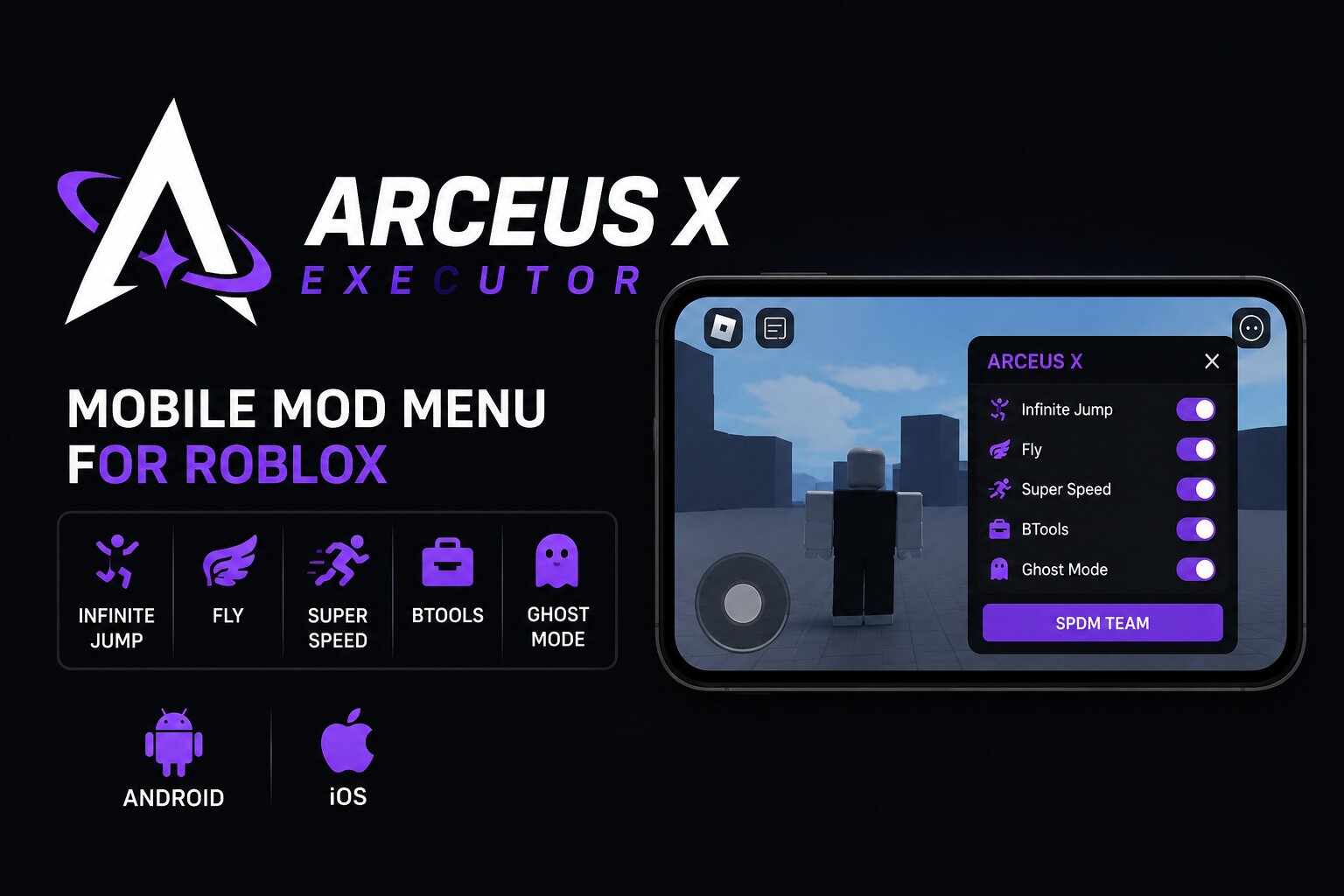
Arceus X Neo is a mobile-focused Roblox executor designed for Android and iOS users who want a simpler way to access extra gameplay features. Unlike traditional executors that mainly rely on a script editor, Arceus X includes a floating in-game mod menu with ready-made options such as Infinite Jump, Fly, Super Speed, BTools, and WalkSpeed controls.
It also includes a built-in Script Hub and LuaU executor for users who want to run their own scripts. This makes Arceus X particularly appealing to beginners who would rather use ready-made toggles than work with Lua code.
Visit the official Arceus X site or compare it with the other options in our Roblox Executor list.
Arceus X at a glance
- Developer: SPDM Team
- Platforms: Android and iOS
- Current edition: Arceus X Neo
- Premium edition: Arceus X V5
- Key system: 24-hour key
- Main focus: Mobile mod menu and script execution
- Price: Free and paid options
What is Arceus X?
Arceus X is a mobile Roblox executor developed by SPDM Team. Its biggest difference from conventional script executors is the built-in mod menu that appears directly inside the Roblox experience.
Instead of finding a script, copying Lua code, and pasting it into an executor, users can access ready-made gameplay options through the floating menu. Depending on the current version, these can include Infinite Jump, Fly, Super Speed, Ghost Mode, BTools, Anti Ragdoll, Climb Mode, WalkSpeed, and Gravity controls.
For more advanced users, Arceus X also provides a LuaU executor and Script Hub. This means beginners can use the built-in features while experienced users can still paste and execute Roblox scripts.
Arceus X Neo vs V5
Arceus X is available in different editions, with Neo being the main free option.
Arceus X Neo
Arceus X Neo is the beginner-friendly edition. It focuses on the built-in mod menu, Script Hub, and standard script execution. It is the better choice for users who simply want access to common gameplay features without paying for a premium version.
Arceus X V5
Arceus X V5 is the premium edition and is aimed at users looking for additional features and a more advanced scripting experience. Availability and features can change between releases, so users should check the current official information before choosing a version.
Older Arceus X versions should generally be avoided when a newer supported release is available.
Key Features of Arceus X
Built-in Mod Menu
The floating menu is the main attraction of Arceus X. Users can open it while playing Roblox and enable supported features without manually entering scripts.
Infinite Jump
Allows your character to repeatedly jump instead of being limited by the game's normal jumping behavior.
Fly and Movement Controls
Arceus X can provide movement-related options such as Fly, WalkSpeed adjustments, and other mobility controls depending on the current build.
BTools
BTools can provide additional building-related controls where supported by the experience.
Script Hub
The built-in Script Hub provides access to scripts and game-specific options without requiring users to search for every script separately.
LuaU Executor
Advanced users can still use the built-in executor to paste and run compatible LuaU scripts.
Floating In-Game Interface
Unlike an external-only executor, Arceus X places its main controls inside the Roblox experience through a floating interface, making the features easier to access from a mobile device.
How to Use Arceus X
The general process is straightforward for supported devices:
- Download the current Arceus X build from a source you trust.
- Install the application on your supported Android or iOS device.
- Open Arceus X and complete any required activation or key process.
- Launch the supported Roblox experience.
- Open the floating Arceus X menu.
- Choose one of the available features or open the Script Hub.
- If you are using your own script, paste it into the executor and run it.
- Disable features you no longer need before leaving the game.
Because third-party Roblox executors can stop working after Roblox updates, always check whether the version you're using is compatible with the current Roblox build.
Is Arceus X Safe?
Safety is one of the biggest concerns when downloading mobile executors. Fake Arceus X websites and modified APK or IPA files can impersonate the original project and may contain unwanted software.
Only obtain software from a source you can independently verify. Avoid random APK mirrors, shortened download links, suspicious Telegram files, and unofficial websites claiming to be the developer.
You should also remember that using third-party executors can violate Roblox's rules and may result in account restrictions or bans.
Pros and Cons
Pros
- Designed specifically for mobile Roblox users.
- Built-in mod menu makes common features easy to access.
- Does not require Lua knowledge for basic features.
- Includes a Script Hub.
- Supports script execution for more advanced users.
- Available for Android and iOS.
Cons
- Requires a key on supported free versions.
- iOS installation can be more complicated because of sideloading requirements.
- Fake and modified downloads are a significant concern.
- Features can stop working after Roblox updates.
- Using an executor can result in Roblox account penalties.
Frequently Asked Questions
What is Arceus X?
Arceus X is a mobile Roblox executor from SPDM Team that combines a built-in mod menu with script execution features. It is mainly designed for Android and iOS users.
What is Arceus X Neo?
Arceus X Neo is the main free edition of Arceus X. It provides the built-in mod menu, Script Hub, and script execution features for supported mobile devices.
Does Arceus X work on Android?
Yes. Arceus X is primarily known as a mobile executor with Android support. Always check the current release because compatibility can change after Roblox updates.
Can I use Arceus X on iPhone?
Arceus X has offered iOS support through sideloaded builds. The exact installation method depends on the current iOS version and the availability of a working build.
Do I need to know Lua to use Arceus X?
No. The built-in mod menu is designed so that users can enable supported features without writing or pasting Lua code. Advanced users can use the LuaU executor when they want to run scripts.
Does Arceus X have a Script Hub?
Yes. The executor includes a Script Hub for accessing supported scripts and game-specific options.
Is Arceus X free?
Arceus X has a free Neo edition, while premium options may also be available. Features, pricing, and access requirements can change with new releases.
Arceus X vs Other Mobile Executors
If you're specifically looking for a mobile Roblox executor, Arceus X isn't the only option.
Delta Executor is a stronger alternative for users who prioritize broad platform support and script compatibility.
Hydrogen Executor is another option for users who want a cross-platform executor covering mobile and desktop devices.
For iOS users who prefer a keyless option, you can also check our Swift Executor review.
For PC users, Solara Executor is a better fit because it is designed specifically around Windows.
The Bottom Line
Arceus X stands out because it approaches Roblox scripting differently from most traditional executors. Its floating mod menu makes common features accessible without requiring users to understand Lua, while the built-in Script Hub and LuaU executor give experienced users more control.
For mobile players who want a simple interface and ready-made gameplay options, Arceus X Neo is one of the more recognizable choices in the mobile executor category. However, users should be careful with unofficial downloads and remember that third-party executors can carry both security risks and Roblox account risks.
If you want to compare all of the options, visit our complete Roblox executor hub.
Comments (0)