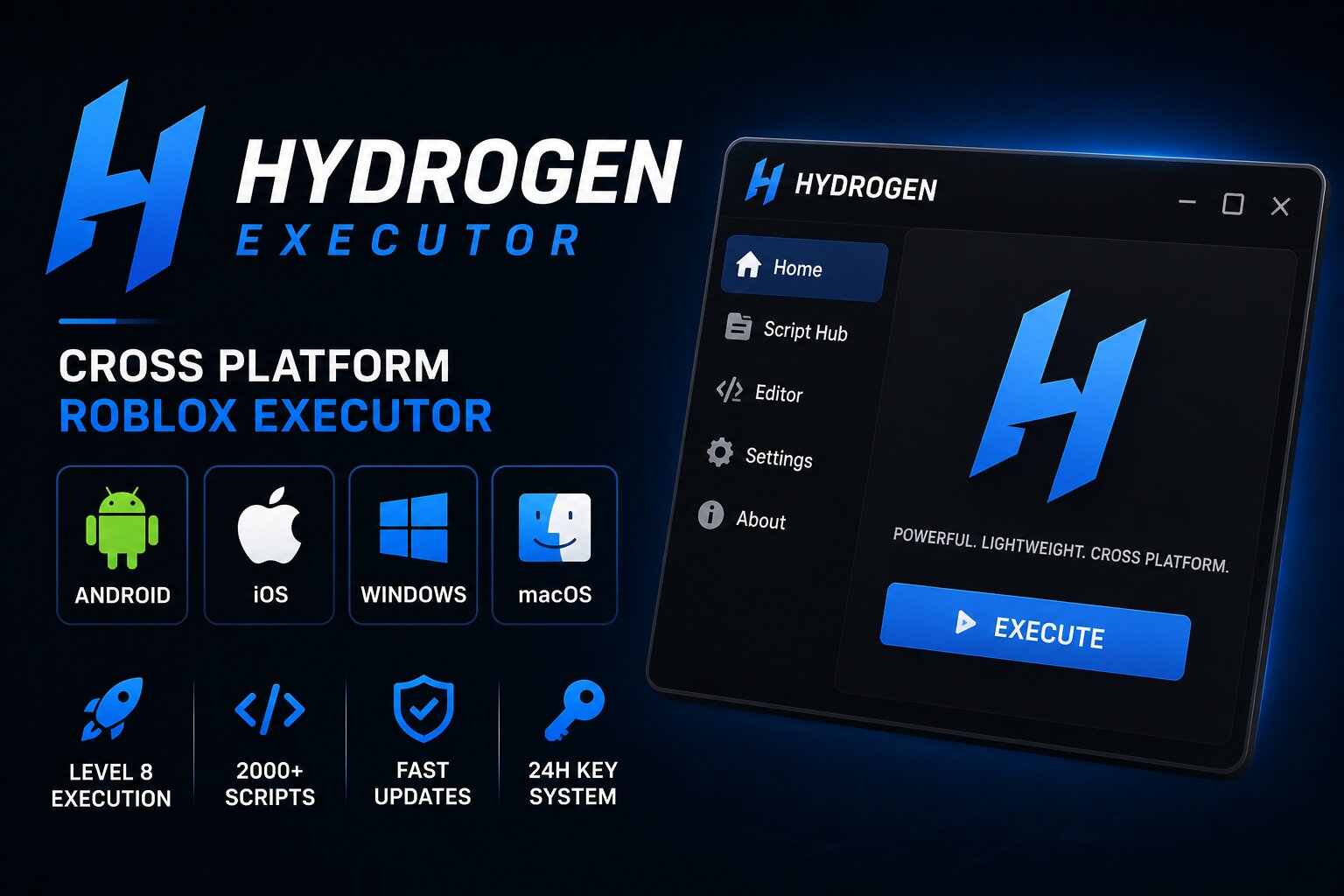
Hydrogen is a Roblox executor known for supporting multiple platforms, including Android, iOS, Windows, and macOS. Its main advantage is flexibility: users can access a similar scripting experience across different devices instead of switching to a completely different tool.
The executor also includes a built-in script library and uses a key-based access system. If you're comparing different options, you can also check our full Roblox Executor list or compare Hydrogen with Delta Executor and Swift Executor.
Hydrogen at a Glance
- Platforms: Android, iOS, Windows, macOS
- Access : Free
- Key system : Hydrogen Gateway
- Script library : 2,000+ scripts claimed
- Interface : Built-in script editor and hub
- Main advantage : Cross-platform support
- Best for : Users who play Roblox on multiple devices
What Is Hydrogen Executor?
Hydrogen is a third-party Roblox scripting tool designed to run external Lua/Luau scripts while playing Roblox. Unlike executors focused mainly on Windows or mobile, Hydrogen is marketed around cross-platform compatibility.
Its interface combines a script editor with a built-in library, allowing users to find and manage scripts without relying entirely on separate browser tabs.
The biggest reason players consider Hydrogen is its broad device support. Someone who regularly switches between Android, iPhone, Mac, and Windows can use the same general workflow instead of learning a completely different executor for each platform.
Key Features of Hydrogen
Cross-Platform Support
Hydrogen is designed for Android, iOS, Windows, and macOS. This makes it particularly interesting for Roblox players who use more than one device.
Built-In Script Library
Hydrogen includes a large built-in script library that is designed to make finding game-specific scripts easier. The library can be useful for users who don't want to manually search for scripts every time.
Script Editor
The integrated editor provides a place to paste and manage Lua/Luau scripts before attempting to execute them.
Hydrogen Gateway
The free version uses a Gateway-based key system. Users may need to complete the required verification process before accessing the executor.
Regular Updates
Hydrogen is known in the executor community for releasing updates after Roblox changes its client or security systems. However, update timing can vary, so an older build may stop working after a Roblox update.
Hydrogen Key System Explained
One of the main differences between Hydrogen and completely keyless executors is its access system.
The free version uses Hydrogen Gateway, which requires users to obtain an access key before using the executor. The exact verification process and key duration can change over time.
This means Hydrogen isn't the best choice if your priority is avoiding key systems altogether. For a keyless alternative, you can compare it with Swift Executor or Solara Executor.
How to Use Hydrogen
Because third-party Roblox executors can carry security and account risks, only use software from a source you can independently verify.
The general workflow is:
- Obtain the current Hydrogen build from a verified source.
- Install or sideload the application according to your platform.
- Open Hydrogen and complete its required access or key process.
- Launch Roblox through the supported workflow.
- Select or load the script you want to use.
- Follow the executor's interface to attempt execution.
The exact installation process can change between Windows, Android, iOS, and macOS versions, so instructions for one platform shouldn't automatically be applied to another.
Hydrogen on Android
Android users generally have the simplest installation process because applications can be installed directly through APK packages when the device permits it.
However, APK files obtained from unofficial mirrors can be modified or bundled with unwanted software. Always verify the source before installing any third-party APK.
Hydrogen on iOS
iOS is more restrictive because third-party applications generally require sideloading or another supported installation method.
Users may also need to periodically re-sign sideloaded applications. The exact process depends on the signing method and Apple's current restrictions.
Hydrogen on Windows
The Windows version follows the typical desktop executor workflow, with an application interface, script editor, and Roblox integration.
Windows security software may also flag third-party executors because they interact with another running application. A warning should not automatically be treated as proof that a file is safe—or ignored without investigation.
Hydrogen on macOS
Hydrogen's macOS support makes it useful for Roblox users who don't have a Windows PC. Compatibility can vary between Intel and Apple Silicon Macs, so users should check whether the current release supports their specific Mac.
Pros and Cons
Pros
- Supports multiple Roblox platforms.
- Built-in script library.
- Integrated script editor.
- Useful for users who switch between devices.
- Free version available.
- Cross-platform approach makes it different from many Windows-only executors.
Cons
- Free version uses a key system.
- Third-party executor software carries account and security risks.
- iOS installation can be more complicated because of Apple's restrictions.
- Fake or modified downloads can appear on unofficial websites.
- Compatibility may change following Roblox updates.
Is Hydrogen Executor Safe?
There is no way to guarantee that every Hydrogen-branded download found online is safe. Third-party executor communities are particularly vulnerable to fake download pages and repackaged files.
Before running any executable, APK, or IPA, verify where it came from and scan the file with a reputable security tool. Never install a file simply because a website claims it is the "latest" or "official" version.
You should also understand that using third-party executors can violate Roblox's rules and may result in account restrictions or bans.
Frequently Asked Questions
Is Hydrogen Executor free?
Yes, Hydrogen has been distributed with a free access option, although the free version uses a Gateway/key system.
Does Hydrogen support Android?
Yes. Android is one of the platforms associated with Hydrogen.
Can Hydrogen work on iOS?
Hydrogen has offered iOS builds, although installation can depend on Apple's current sideloading and signing requirements.
Does Hydrogen support Windows?
Yes. Hydrogen has a Windows version alongside its mobile releases.
Can I use Hydrogen on Mac?
Hydrogen has offered macOS support, including builds intended for different Mac hardware.
Does Hydrogen require a key?
The free version uses the Hydrogen Gateway access system, so users should expect a verification/key process rather than completely keyless access.
Is Hydrogen better than Delta?
It depends on what you need. Hydrogen's biggest advantage is its broad cross-platform approach, while Delta Executor is a strong alternative for users primarily interested in mobile Roblox.
Is there a keyless alternative to Hydrogen?
Yes. If avoiding a key system is your main priority, Swift Executor is worth comparing for supported platforms, while Solara Executor is another option for Windows users.
Hydrogen vs Other Roblox Executors
Hydrogen's biggest selling point is its platform coverage rather than simply being another Windows executor.
If you're on Windows and want a straightforward free option, check our Solara review.
For mobile users, Delta review is a useful alternative.
And if you're specifically looking for iOS support without a traditional key system, compare Hydrogen with our Swift review.
Final Verdict
Hydrogen stands out because it attempts to provide a consistent Roblox scripting experience across Android, iOS, Windows, and macOS. Its built-in script library and integrated interface make it appealing to users who regularly move between different devices.
The main drawback is the Hydrogen Gateway key system, along with the usual security and account risks associated with third-party Roblox executors.
If cross-platform support is your priority, Hydrogen is worth considering. If you want a simpler Windows experience, start with Solara. For mobile-focused use, compare Delta. For more options, visit the complete Roblox Executor hub.
Comments (0)