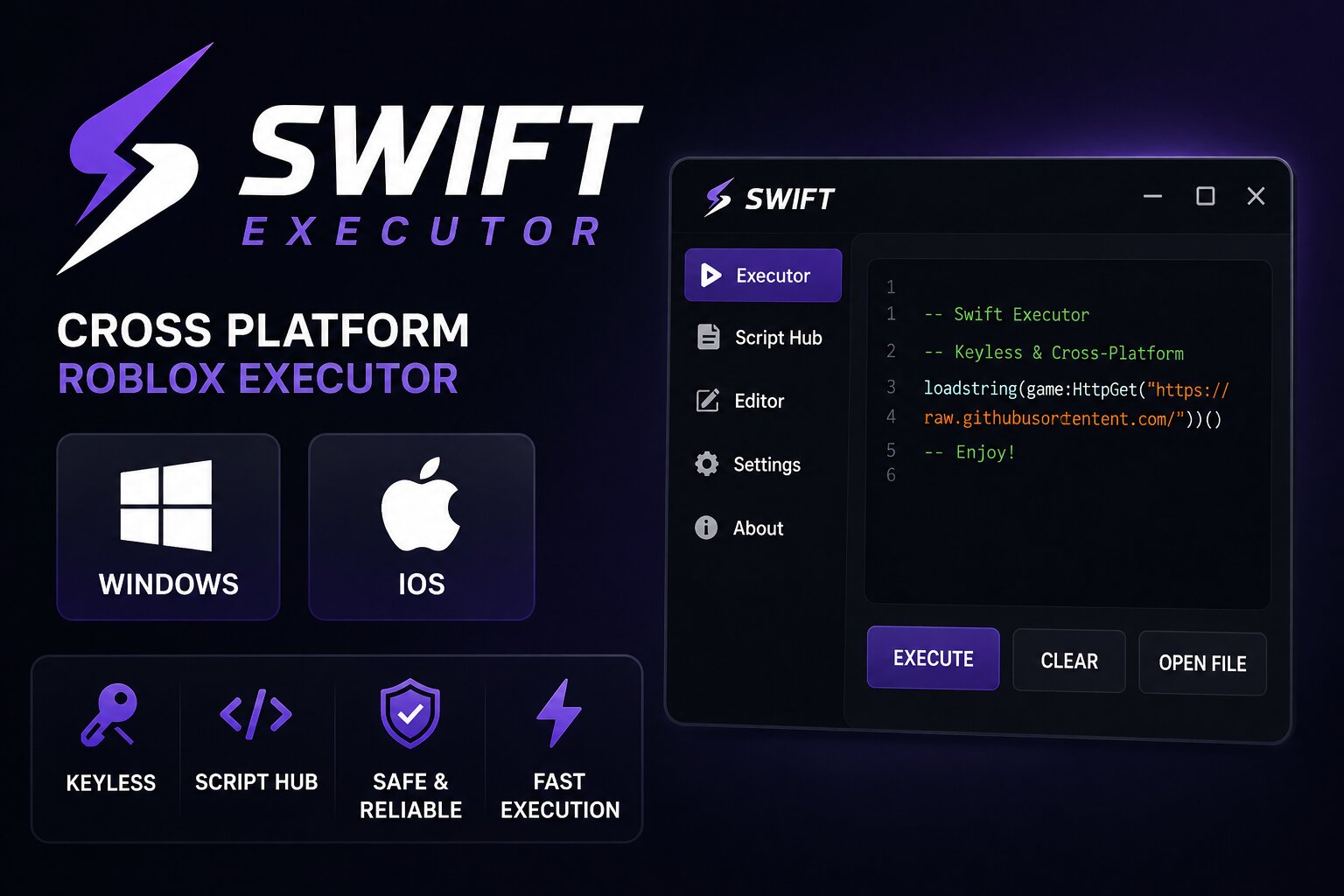
Swift is a Roblox executor aimed at users who want a free option across both PC and iOS. Unlike many executors that focus on a single platform, Swift is commonly associated with Windows and iPhone/iPad support, making it an interesting choice for users who switch between devices.
The executor includes features such as script execution, a built-in script hub, and a straightforward interface. However, iOS users should be aware that sideloading requirements can make the setup more complicated than using a Windows-based executor.
Visit the Swift website or compare Swift with the other options in our Roblox executor hub.
Swift Information
- Platform : Windows 10/11, iOS
- Latest version : Swift v3.x line
- Key system : Keyless
- Price : Free
- Script support : Common Roblox Lua scripts
- Main advantage : Cross-platform support
- Official site : swiftexecutor.com
What is Swift Executor?
Swift is a third-party Roblox executor designed to run external scripts while Roblox is running. Its main selling point is cross-platform availability, particularly its support for Windows and iOS.
On Windows, Swift provides a traditional executor interface where users can manage and execute scripts. The iOS version takes a different approach because Apple's platform restrictions make third-party software installation more complicated.
For users who primarily play Roblox on PC, Solara Executor may offer a simpler free Windows experience. Mobile users can also compare Swift with Delta Executor.
Key Features of Swift Executor
Cross-Platform Support
Swift is designed for users who want access across Windows and iOS rather than being limited to one operating system.
Keyless Access
Swift is promoted as a keyless executor, meaning users don't normally need to complete a separate key-generation process before using it.
Built-In Script Hub
The built-in script hub makes it easier to find and manage scripts instead of keeping every script in separate browser tabs or text files.
Script Editor
Swift includes an editor for working with Roblox Lua scripts, allowing users to paste, organize, and modify scripts before running them.
Regular Updates
Like other Roblox executors, Swift needs updates when Roblox changes its client or security systems. Older versions may stop working after a Roblox update.
How to Use Swift Executor
The general process is straightforward:
- Download Swift only from a source you trust.
- Install or extract the application for your supported platform.
- Launch Roblox and join the experience you want to use.
- Open Swift and connect it to the running Roblox session when supported.
- Load a compatible script into the editor.
- Review the script before running it.
- Execute the script and enable the features provided by that particular script.
Important: Third-party executors can violate Roblox's rules and may result in account restrictions. Avoid using them on an account you cannot afford to lose, and never run software you cannot verify.
Swift on iOS
Swift's iOS availability is one of the reasons it attracts attention from mobile Roblox users. However, installing third-party applications on iPhone or iPad is more complicated than installing a normal App Store application.
Depending on the distribution method, users may need to use a sideloading service or developer-signing method. Apple can also revoke certificates, causing previously installed applications to stop opening.
This makes the iOS experience less predictable than the Windows version.
If you're specifically looking for a mobile executor, you can also check our Delta Executor review before deciding which option fits your device.
Pros and Cons
Pros
- Supports Windows and iOS.
- Free to use.
- Keyless access.
- Built-in script hub.
- Simple script editor.
- Useful for users who switch between PC and mobile.
Cons
- iOS installation can be more complicated.
- Sideloaded applications can stop working if signing certificates are revoked.
- Compatibility can change after Roblox updates.
- Third-party executors carry account and security risks.
- Fake download pages can distribute modified or malicious files.
Is Swift Executor Safe?
Safety is one of the biggest concerns with any third-party Roblox executor. The name of an executor alone does not guarantee that every copy found online is legitimate.
Avoid downloading executors from random file-sharing websites, unknown Discord servers, shortened links, or videos that provide suspicious download links. Before opening any executable or IPA, verify where it came from and scan downloaded files with reputable security software.
Also remember that an antivirus warning should not automatically be ignored simply because a website claims the detection is a "false positive."
Frequently Asked Questions
Is Swift Executor free?
Yes. Swift is generally promoted as a free Roblox executor, although availability and features can change between versions.
Is Swift Executor keyless?
Swift is commonly offered as a keyless executor, so users generally don't need to complete a traditional key-system process.
Does Swift work on iOS?
Swift has been associated with iOS support, but installation can depend on the current signing and sideloading method. iOS availability may therefore change over time.
Does Swift work on Mac?
Swift is primarily associated with Windows and iOS. Mac users should check the current compatibility information before attempting to install it.
Why did Swift stop working after a Roblox update?
Roblox updates can change parts of the client that third-party executors depend on. When that happens, an older Swift build may stop functioning until a compatible update is released.
Can Swift get my Roblox account banned?
Yes. Using third-party executors can violate Roblox's rules and may result in account penalties. There is no executor that can guarantee that an account is safe from detection or bans.
Is Swift better than Solara?
For Windows users, Solara is generally the simpler choice if you only need a free PC executor. Swift becomes more interesting if cross-platform Windows and iOS support is important to you.
Final Verdict
Swift stands out mainly because of its Windows and iOS support. For someone who wants a free executor and regularly switches between PC and iPhone/iPad, that cross-platform focus can make Swift worth considering.
However, Windows users have other strong choices. Solara is a better fit for users who simply want a straightforward free PC option, while Delta is worth comparing if mobile support is your priority.
Before using any third-party executor, consider the security risks, Roblox's rules, and the possibility that an update can break compatibility.
Comments (0)