Download 2 working best Dream Keyboard Escape Scripts [Key & No Key] for PC and Mobile. Updated regularly with the latest free scripts.
![Dream Keyboard Escape Script | S0ftKillz [No Key] | Auto Win](https://plus1scripts.net/files/items/d6lg1kNn9leRq3j_1786710141.webp)
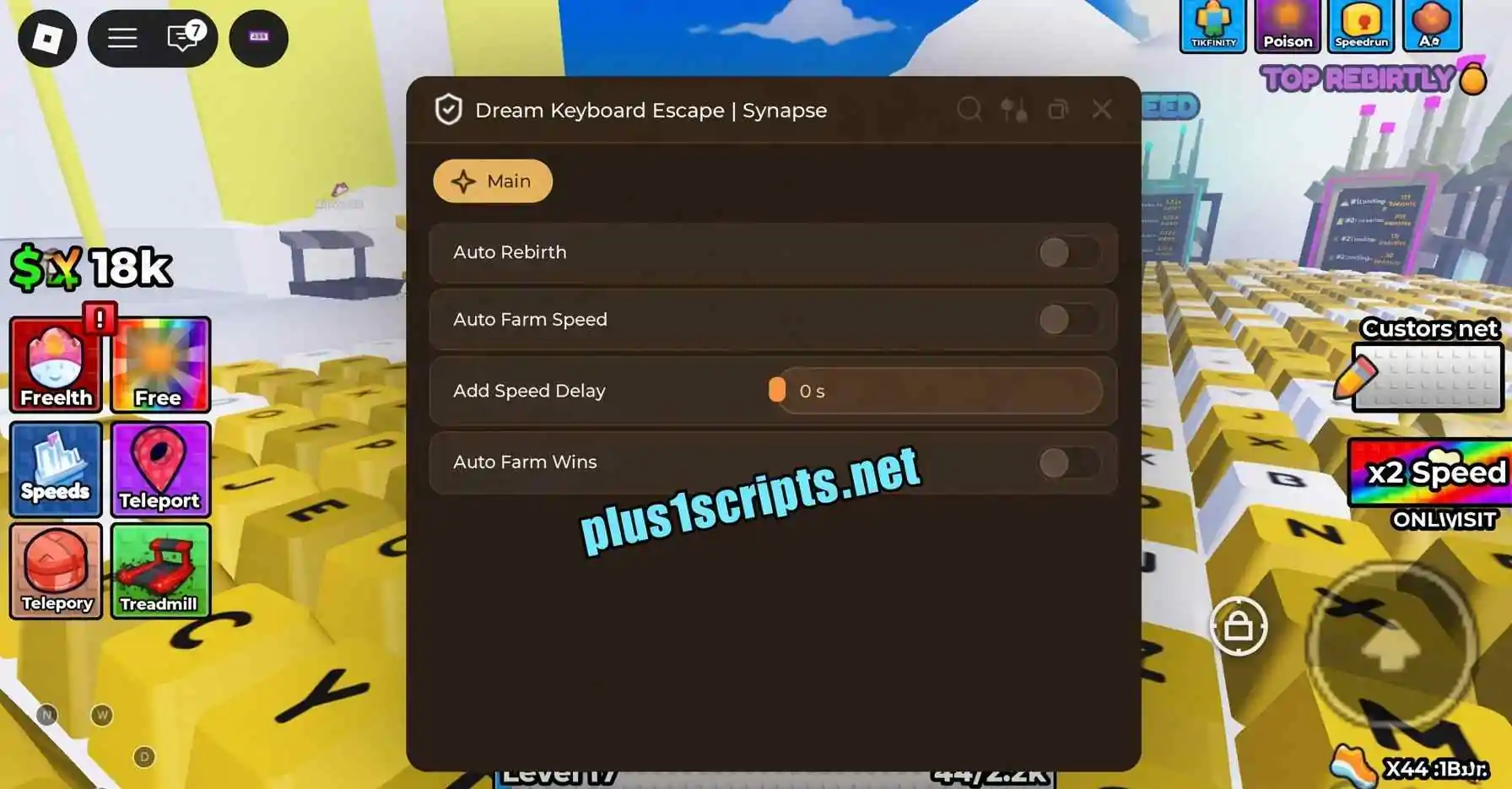
Browse and Download Dream Keyboard Escape Scripts 2026 (Key & No Key) With Auto Complete, Teleport to End, Skip Stages, Noclip, Infinite Jump, WalkSpeed Boost.
Dream Keyboard Escape is a Roblox incremental escape game developed by OCEAN SPIDER. The game combines speed progression, keyboard-themed movement, obstacle courses, multipliers, and competitive racing.
Players gain +1 Speed with every step and can train their speed to become faster. The game features different areas based around Heaven, Hell, and Galaxy, while players race through stages, unlock multipliers, and try to reach the end without making a mistake.
The game also includes an ASMR-style presentation with smooth movement, keyboard-click sounds, and relaxing visual effects.
For players looking to make progression easier, updated Dream Keyboard Escape Scripts can provide features such as Auto Complete, Teleport to End, Skip Stages, Noclip, Infinite Jump, and WalkSpeed Boost.
Auto Complete can help automate stage completion so you do not have to manually navigate through every obstacle. This can be useful when progressing through longer sections of the game.
The Teleport to End feature allows you to quickly move toward the ending area instead of manually completing the entire route.
With Skip Stages, players can bypass difficult or repetitive stages and continue progressing through the game more quickly.
Noclip allows your character to move through obstacles and certain objects that would normally block your path.
Infinite Jump lets your character repeatedly jump instead of being restricted to the normal jump cycle. This can make some obstacle sections easier to navigate.
The WalkSpeed Boost feature increases movement speed, allowing you to travel through stages faster and reach different areas more quickly.
Note: Third-party executors and scripts can stop working after Roblox or the game receives an update. Using them can also violate Roblox's rules and may result in account restrictions.
Dream Keyboard Escape is a Roblox incremental simulator developed by OCEAN SPIDER. Players gain +1 Speed with each step, train their speed, complete obstacle stages, unlock multipliers, and race through different themed areas.
Dream Keyboard Escape was developed by OCEAN SPIDER.
A Dream Keyboard Escape Script is a third-party Lua/Luau script intended to automate or modify parts of the game's progression. Available versions can include features such as Auto Complete, Skip Stages, Teleport to End, Noclip, Infinite Jump, and WalkSpeed Boost.
Yes. Updated versions can include an Auto Complete feature for automating stage progression.
Some Dream Keyboard Escape scripts include Teleport to End, allowing players to move quickly toward the ending area.
Yes. Skip Stages can be included in updated versions and is designed to help players bypass selected obstacle stages.
Yes. Some versions include Noclip, which allows the character to pass through certain obstacles.
Yes. Updated scripts can include Infinite Jump for easier movement through obstacle sections.
Yes. WalkSpeed Boost can increase your character's movement speed and make it easier to travel through the game's stages.
The game was updated on August 14, 2026, and Roblox also receives frequent client updates. An older script may therefore stop functioning correctly. Make sure you are using a current version that is compatible with your executor and the latest game update.
It depends on the script. Some versions may be keyless, while other versions can use a key verification system.
Dream Keyboard Escape is a speed-focused Roblox incremental simulator from OCEAN SPIDER where every step increases your Speed and helps you progress through Heaven, Hell, Galaxy, and other obstacle-based areas.
The latest Dream Keyboard Escape Scripts 2026 can add useful automation and movement features, including Auto Complete, Teleport to End, Skip Stages, Noclip, Infinite Jump, and WalkSpeed Boost.
If you are using a script, always check that it matches the current version of the game, especially after major updates or Admin Abuse events.