
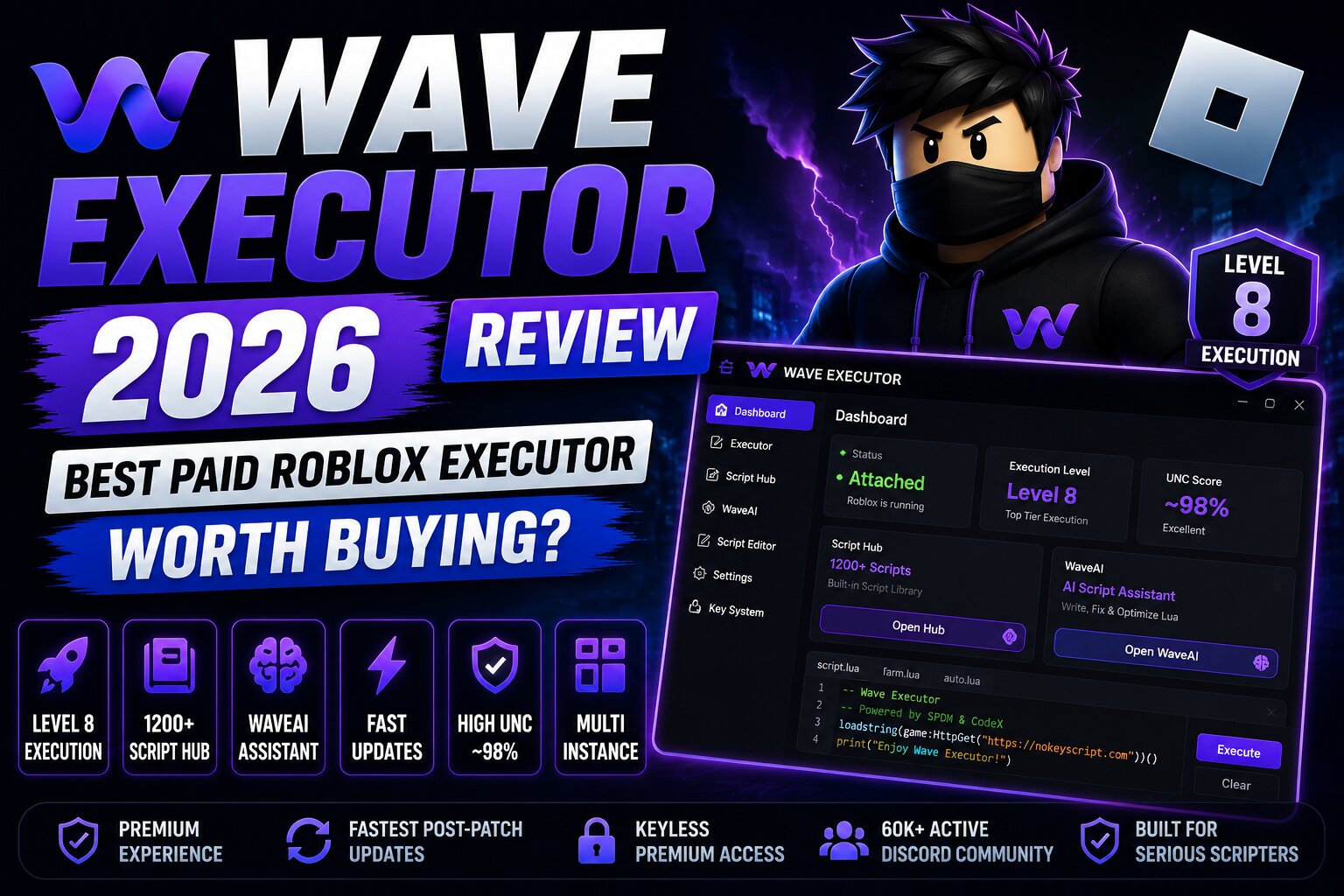
Wave Executor is a paid Roblox scripting tool aimed at Windows users who want more advanced script-execution features than many free alternatives provide. It is commonly discussed for its execution capabilities, built-in script library, and premium features designed for users who regularly work with Roblox scripts.
If you are comparing paid and free options, this Wave Executor 2026 review covers its platform support, pricing structure, key features, advantages, limitations, safety considerations, and alternatives such as Solara Executor and Delta Executor.
Wave Information
- Platform: Windows
- Type : Paid / Premium Roblox executor
- Key system : Premium access is generally marketed as keyless
- Execution : Advanced script execution
- Script library : Built-in script hub
- AI features : WaveAI
- Best for : Frequent Roblox script users
- Official Website: https://getwave.gg/
What Is Wave Executor?
Wave Executor is a third-party Roblox scripting application designed to execute external Lua scripts while Roblox is running. Unlike ordinary Roblox Studio scripting, which is intended for game developers, an executor is designed for running scripts outside the normal development environment.
Wave has attracted attention because it focuses on premium features, script compatibility, an integrated script library, and tools intended for more experienced users. Its paid model also differentiates it from free executors that commonly rely on advertisements or key systems.
However, using third-party executors can violate Roblox's Terms of Use and may result in account restrictions or bans. Users should understand these risks before deciding whether an executor is appropriate for them.
Why Is Wave Executor Popular?
Wave is primarily aimed at users who want a more feature-rich experience than basic free executors provide.
Some of the features commonly associated with Wave include:
- Advanced script execution for compatible Roblox scripts.
- Built-in script hub for finding scripts without manually searching multiple websites.
- WaveAI tools intended to assist with Lua scripting.
- Script editor for working with and managing scripts.
- Multi-instance support for users who need multiple Roblox sessions.
- Regular updates intended to maintain compatibility as Roblox changes.
These features make Wave more appealing to experienced users who regularly experiment with Roblox scripts.
Wave Executor Features
Advanced Script Execution
Wave is designed for running more complex Roblox Lua scripts and is positioned as a premium alternative to basic free executors.
Compatibility can change after Roblox updates, however, so no executor should be considered permanently compatible with every script or game.
Built-in Script Hub
One of Wave's convenient features is its integrated script library. Instead of searching separately for every script, users can browse available scripts through the executor's interface.
If you're specifically looking for game scripts, you can also browse our Roblox +1 Scripts library.
WaveAI
WaveAI is designed to provide assistance with Lua scripting. This can be useful for users who want help understanding, modifying, or troubleshooting script code.
Script Editor
The integrated editor gives users a dedicated place to view and work with Lua scripts. This can be more convenient than repeatedly switching between a browser and an external text editor.
Premium Access
Wave's premium model is intended to provide a more streamlined experience than many free alternatives. Depending on the current offering, access and features can change, so users should always check the current official information before purchasing.
Wave Executor Pricing
Wave has historically been positioned as a paid executor, although pricing and available plans can change over time.
Before purchasing, check the current pricing from the developer's official source rather than relying on old articles or third-party sellers.
Be particularly careful with websites advertising unusually cheap Wave lifetime keys. Third-party sellers may not be authorized, and an invalid or stolen key can result in wasted money.
How to Get Started With Wave Executor
If you decide to explore Wave despite the risks associated with third-party Roblox executors, the general process is:
- Review the developer's current information and supported platform.
- Check whether your Windows version meets the requirements.
- Download software only from a source you can independently verify.
- Scan downloaded files with reputable security software.
- Read the current Roblox rules and understand the possibility of account action.
- If you purchase access, keep your purchase information secure.
- Avoid modified installers, cracked versions, and unofficial "lifetime" keys.
We also recommend reading our broader Roblox Executors guide before choosing an executor.
Pros and Cons of Wave Executor
Pros
- Premium-focused experience.
- Built-in script library.
- Script editing functionality.
- WaveAI scripting assistance.
- Designed for users who regularly work with Roblox scripts.
- More features than many basic free alternatives.
Cons
- Paid access can be expensive for casual users.
- Third-party executors carry Roblox account risks.
- Compatibility can change after Roblox updates.
- Fake download pages and unauthorized sellers are a significant concern.
- Windows support is the primary focus.
- No executor can guarantee that an account will remain safe from Roblox enforcement.
Is Wave Executor Safe?
There are two different safety questions to consider.
First, there is software security. Third-party executors can be imitated by malicious programs, so downloading an executable from an untrusted mirror can expose your device or account to unnecessary risk.
Second, there is account safety. Using an executor to run unauthorized scripts can violate Roblox rules, meaning your account may be subject to moderation or other enforcement.
For this reason, claims such as "100% undetectable," "anti-ban," or "completely safe" should be treated skeptically.
Frequently Asked Questions
Is Wave Executor worth buying?
It depends on how frequently you use Roblox scripting tools. Users who want premium features and an integrated scripting environment may find the paid model more attractive, while casual users may prefer a free alternative such as Solara.
Is Wave Executor free?
Wave is primarily known as a paid executor, although free or limited offerings may be available depending on the current version. Always check the current official pricing before purchasing.
Does Wave Executor work on mobile?
Wave is primarily associated with Windows. If you need a mobile-focused option, see our Delta Executor guide.
Can Wave Executor get my Roblox account banned?
Yes. Using third-party executors and unauthorized scripts can violate Roblox's rules, so there is always a risk of account enforcement.
Does Wave Executor work after Roblox updates?
Compatibility can change whenever Roblox releases updates or changes its security systems. An executor that worked previously may temporarily stop functioning until its developers release a compatible update.
Where should I download Wave Executor?
Use only a source you can independently verify as belonging to the legitimate project. Avoid unofficial mirrors, cracked versions, modified executables, and sellers promising suspiciously cheap lifetime access.
Is Wave better than Solara?
Wave is aimed more toward users looking for premium features, while Solara is a popular free alternative for Windows users. The better choice depends on whether you prioritize additional features or avoiding a subscription.
Final Verdict
Wave Executor stands out primarily because it targets users looking for a premium Roblox scripting experience rather than another basic free executor. Its integrated script library, editor, and WaveAI functionality can make it appealing to frequent users.
However, the price is not the only factor to consider. Roblox account risk, software security, compatibility after updates, and the authenticity of the download source are equally important.
If you want a free Windows alternative, check our Solara Executor 2026 review. If you are looking for mobile options, explore our Delta Executor guide. For a broader comparison, visit the complete Roblox Executors hub.
Comments (0)